How I Use Docker

As noted in my initial post, I have bought into Docker and its function. It's been great to use containerized software in a way where I can test/try out and completely remove all trace should I decide it's not something I want to use.
Going back to my first working docker container, I setup Tautulli to monitor Plex viewing on my home network.
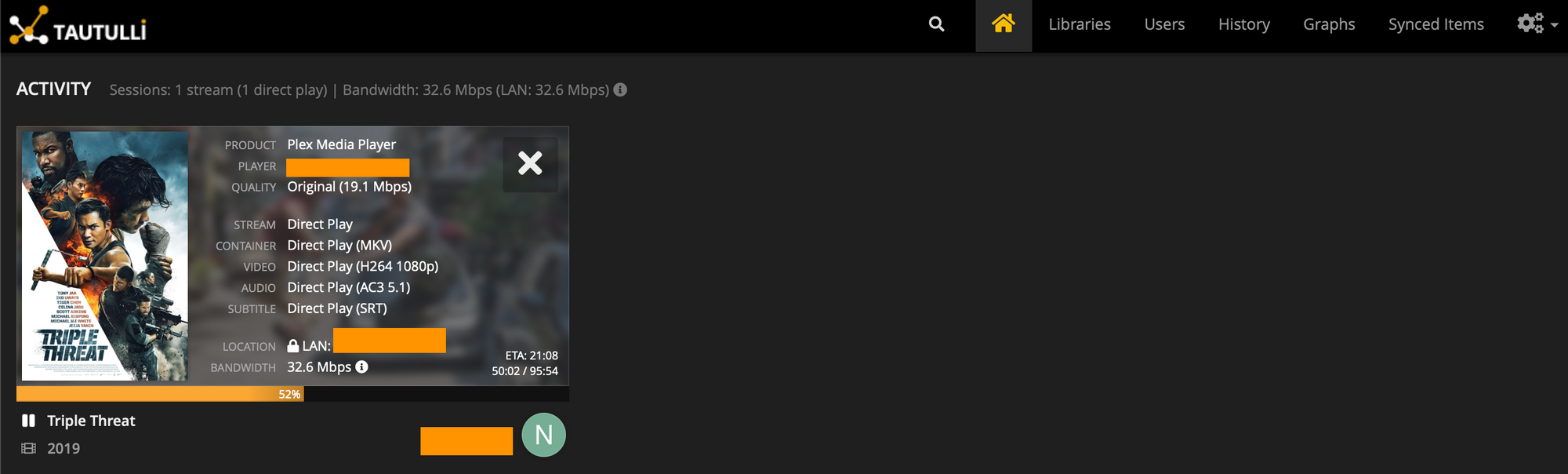
It has been running for 25 days at this time. I was able to transfer all the logs & viewing data from a prior instance of Tautulli I used. This is the beauty of Docker.
Portainer
Another must have is Portainer. It enables management of Docker via GUI. I can get by using command line, but having a quick & easy to use web interface has saved me a lot of time & grief.
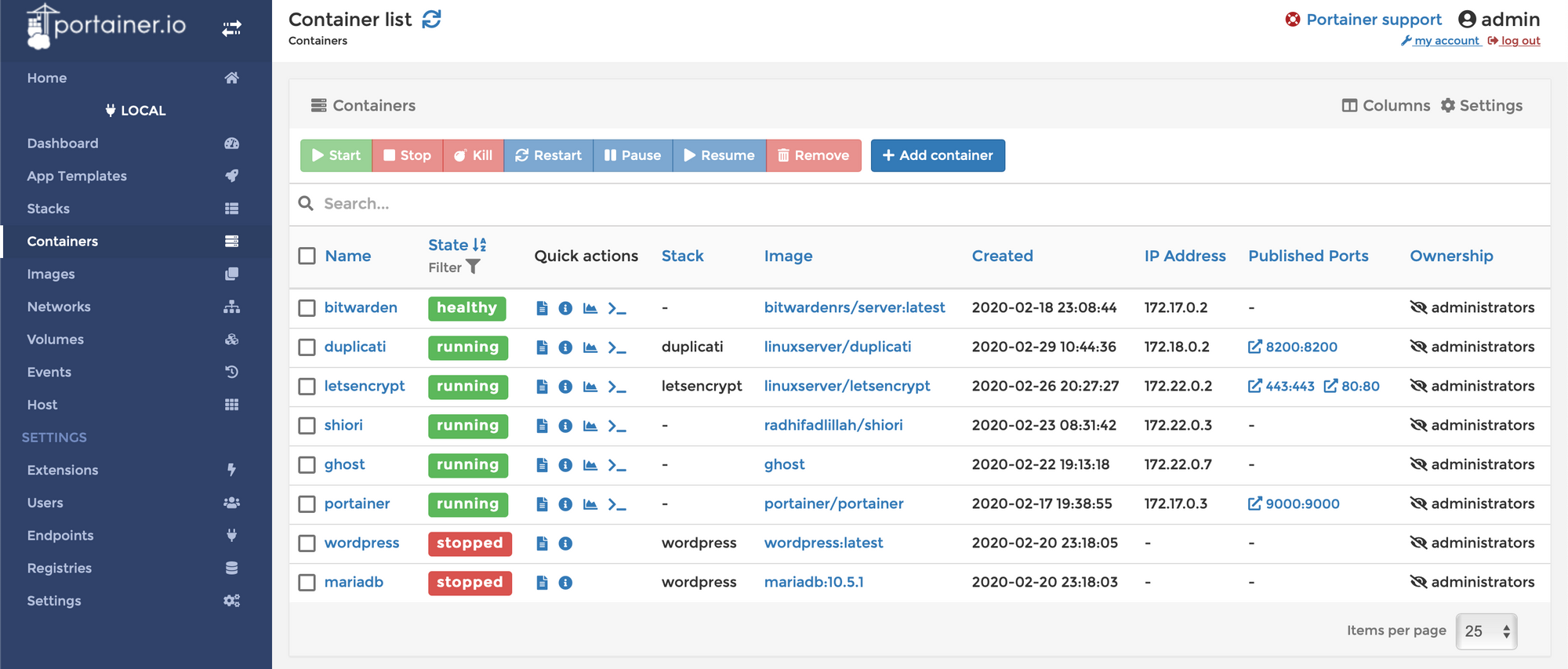
Reverse proxy / Let's Encrypt
There's a few services I want open to the internet. However doing so via http unsecured is a bad idea. With that, there's a few ways to go about setting up both a reverse proxy and SSL certificates to switch over to https.
After trying out Caddy & Traefik, I settled on linuxserver/letsencrypt. From their description:
Letsencrypt sets up an Nginx webserver and reverse proxy with php support and a built-in letsencrypt client that automates free SSL server certificate generation and renewal processes. It also contains fail2ban for intrusion prevention.
For now, this covers everything I need to setup & started. At some point in the future, I may try to work with Traefik as I've heard many good things.
This is where the options are near limitless to find a self-hosted alternative to really any service.